/Phin%20Logo%20Stacked.png?width=60&height=60&name=Phin%20Logo%20Stacked.png)
📌 You will need Global Admin access for the client if you wish to connect to the Graph API Mail Delivery.
- In addition to Microsoft DMI, we recommend enabling allowlisting to ensure all email types deliver to their expected recipients. Good news, we built the Microsoft Automated Allowlisting integration to make it quick and easy.
Connecting the Microsoft DMI Integration
- Navigate to the Integrations page in the left-hand sidebar of your client's homepage.
- Click into the Microsoft DMI tile and review the Microsoft permissions required.
- Click Continue to Microsoft to begin the connection process.
- Upon clicking, you will automatically be redirected from Phin to the Microsoft portal to give consent for the required permissions.
- Once consent is given, you will be redirected back to Phin. You will see a loading screen as the integration finishes making the connection.
- Once connected, you can send a test email to see if a test phishing email makes it into your inbox.
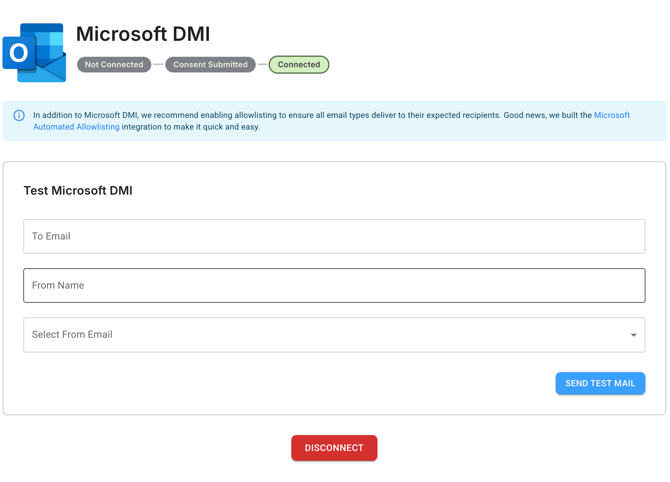
- You can return to the Microsoft DMI page at any time and disable it by clicking Disconnect.
- The only time you won't be able to disconnect the Microsoft DMI is if DMI-only phishing simulation templates are being used in a phishing campaign. These need to be removed from the campaign prior to disconnecting.
Enabling the Microsoft DMI also unlocks all of our Premium phishing templates as seen below: 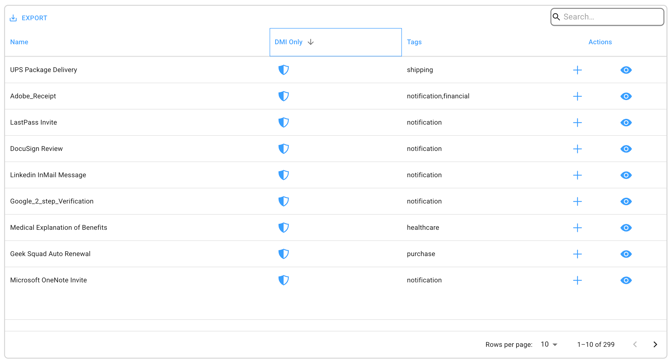
Those marked "DMI Only" are branded premium templates that can only be used if either the Microsoft DMI or Google DMI are enabled.
If either of the Microsoft or Google DMI solutions are not enabled (or disabled after being enabled), all phishing simulation and training messages will be sent via SMTP.
If someone is added as an admin to Phin, connects this integration and then is removed from Phin, the integration will continue to work as long as the admin has the "Global Administrator" role.
Enable a Custom Email Domain
Before you add a custom domain to Phin, ensure any 3rd party tools (Mimecast, INKY, Ironscales, etc.) have the domain included in their allowlist.
Enabling a custom domain will apply this change to training-related emails, reminders, and welcome emails.
If Microsoft DMI is enabled for a company, that company can receive training reminder emails from a custom domain of your choice.
- To enable a single custom domain across all companies utilizing Microsoft DMI (or Google DMI), go to the Branding > Additional Email Customization at the partner level and set a custom domain.
- To enable a unique custom domain per company (example: training@acme.com for a company named Acme), go to Branding > Additional Email Customization at the company level and set a custom domain. If the field is disabled and says "noreply@phinsecurity.com" that means that neither DMI integration is enabled.