/Phin%20Logo%20Stacked.png?width=60&height=60&name=Phin%20Logo%20Stacked.png)
Note:
Our system requires prerequisites for you to qualify for ACH payments.
- Our customer must reside in the US
- Our customer must have a US/USD bank account
- email address
- Account Name
- Billing address
Set Up ACH
In order to set up ACH payments, navigate to the billing section of the Phin Portal.
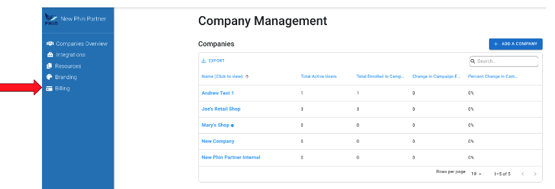
- Click on update payment method
- Click on Payment Methods
- Click on Add New
- Click on Direct Debit
- Click on Set up ACH
-png.png?width=278&height=409&name=image%20(1)-png.png)
- Agree to the Terms and continue
- Select your bank
- Select your account
- Save with Link
- Your account is now connected, click Done
- Set this payment method as Primary
-png.png?width=285&height=431&name=image%20(2)-png.png)
Editing Payment Method
In order to edit a payment method, click into the account you would like to edit.
.png?width=288&height=344&name=image%20(3).png)
- Click Edit Payment Method
- Follow the prompts to complete the update