


Product
Phishing Analysis & Triage in One Place for MSPs
Too many non-malicious emails require triaging by your higher level techs. Phinbox IQ empowers your techs, no matter the level, to triage faster and more accurately by organizing key information into a single pane of glass so there's less noise in your help desk.

Phinbox IQ for MSPs
Analyze Risk with AI
Phin AI will provide analysis of email severity, URLs, and header checks, reducing escalations to your higher level techs.
Remediate Across Tenants
In just a few clicks, you can block malicious domains across all of your tenants within Phin.
Integrate with ConnectWise Manage or HaloPSA
Stop switching between tools to find key information. Now you can access it all within your help desk.
Automated Phishing Triage for MSPs
AI-Powered Phishing Email Analysis
Phinbox IQ automatically analyzes reported emails across multiple signals to help technicians understand how suspicious a message is and why. Instead of manually checking headers, investigating links, and piecing together evidence, technicians get a severity assessment, supporting analysis, and all other context in one place. Including:
- Email Severity AI Analysis
- URL Analysis
- Email Header Checks for SPF, DKIM, and DMARC
- The email itself

Reduce Manual Phishing Triage
Phinbox IQ turns phishing triage from a manual investigation into a faster, more repeatable process. By bringing context into the PSA, instead of spending time gathering evidence, technicians can focus their attention on the emails that actually require human investigation.
That means faster ticket resolution, fewer escalations to senior technicians, and more phishing tickets that L1 technicians can confidently handle on their own.

Case Study: MSP Analyzes 200+ reported emails in just 16 hours
Krantz Secure Technologies was triaging 200-300 reported emails per month, spending 15 minutes or more per email. With Phin, they dropped engineering time to 3-5 minutes per email, saving them an entire week's worth of work per month. Plus, they're decreasing the number of emails they need to triage but automatically removing duplicates.
"They can analyze it from the one ticket screen and spend five minutes finding out if it’s actually malicious. We've really saved so much wasted time on tickets." - Chris Fisco, Director of Technical Services
Go From Phishing Analysis to Remediation in Minutes
Take Action on Identified Threats
When a user reports an email using Phin’s report phishing button, Phinbox IQ analyzes the email and displays it as a ticket right in their help desk. Once the analysis is reviewed by a technician, if it’s determined as malicious, the email and sender can be blocked and deleted in the same interface it was analyzed.

Protect Multiple Client Environments
The MSP has multi-tenant visibility into similar emails that have been received by end-users. This standardizes remediation, addresses multiple threats at once beyond the original reported email, and protects all tenants, even if they haven’t yet reported an email from that sender.

Block Malicious Domains
Phinbox IQ allows you to bulk block multiple emails and senders across all users and tenants, not just the one who reported the original email. You can do this right in the ticket of the initial reported email.

Resolve More Phishing Tickets at L1
Bringing all context into one place simplifies email investigations, especially for L1 technicians. This reduces escalations and the human error rate on the engineering side.
Case Study: PhinboxIQ Reduces Escalations for Certified CIO Triaging
Certified CIO was an initial beta tester of the new feature and immediately saw phintastic results.
- Engineering time dropped from 15 minutes to 3 minutes per email
- Nearly all incidents are now resolved by L1 techs with very few escalations
- The average response time for a reported email threat is now less than one minute
"You've reduced the human error rate not just on the end user side, but also on the engineer side." - Joel Chambers, Escalation Specialist
Seamless Phishing Analysis & Remediation for MSP Workflow
Phin integrates with PSAs like Connectwise and HaloPSA to eliminate tool switching during reported email investigations and to simplify your MSP workflows.
Analyze Phishing Emails Inside ConnectWise Manage or HaloPSA
Inside your help desk, the technician receives a support ticket with multiple tabs, including an overview of the email analysis, header checks, URL analysis, AI severity analysis, mail flow rules, an audit log, and a tab to block similar emails across all tenants. This eliminates tool switching to complete an email investigation.
Move From Analysis to Remediation Without Switching Tools
Phinbox IQ connects phishing analysis and remediation directly inside your existing help desk workflow. Once a reported email has been automatically analyzed and a risk is identified, technicians can review the findings and take action without jumping between multiple security tools.
This creates a faster, more consistent phishing response process from initial report through resolution. Technicians get the context they need to make a decision and the ability to act on that decision in the same workflow—helping MSPs reduce manual steps, resolve phishing tickets faster, and keep threats from impacting additional users.
How it works: Reported email → Phin AI analysis → Risk identified → Technician takes action → Threat remediated
Start your 30-day free trial
We'll help you explore Phin as the right fit for your MSP.
No long-term contracts and no hidden fees or surprises
Phinbox IQ vs Manual Phishing Triage
| Manual triage | Phin |
|---|---|
| Manually inspect emails | Automated phishing analysis |
| Manually investigate URLs | Automated URL analysis |
| Manually review headers | AI-assisted header checks |
| Escalate suspicious emails | Actionable risk information for L1 |
| Switch between tools | ConnectWise Manage and HaloPSA integrations |
| Investigate individual tenants | Multi-tenant remediation |
| Manually determine severity | AI-powered risk analysis |
"The header breakdown that it provides makes it much less challenging for our less experienced techs and we don’t have to use a script constantly. To see those tickets come in and remove them from mailboxes without all the extra steps involved is great."
Service Manager, CNWR

Why MSPs Choose Phin for Automated Phishing Analysis
Automated phishing analysis only pays off if it fits the way your techs already work and is quick to get running. Phin brings phishing analysis and triage into your existing help desk, and onboarding is designed to take less than 10 minutes.
Easy Onboarding for MSPs
We help MSPs and MSSPs get up and running quickly, with a knowledge base and responsive support at every step, so your team can start triaging reported emails sooner.
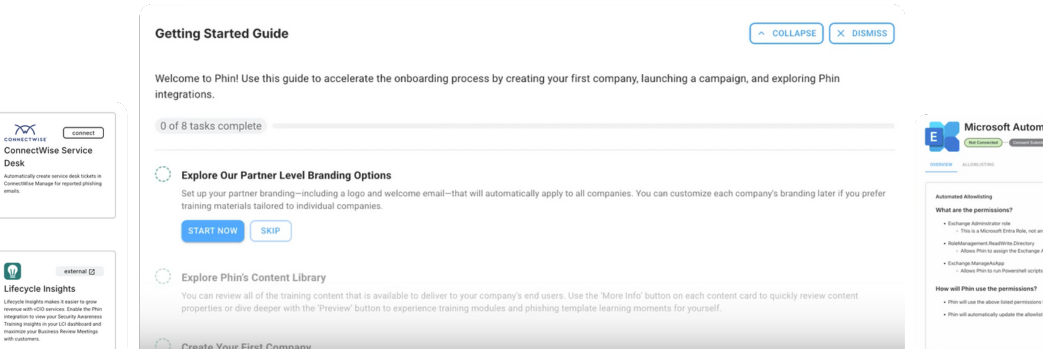
Integrations That Fit Your Help Desk Workflow
Phin's integrations connect Phinbox IQ to the tools your techs already use, so analysis and remediation happen without extra tool switching.
- ConnectWise ServiceDesk and Billing
- HaloPSA
- Microsoft Azure Sync, Mail Delivery, and Defender
- Google Sync
- Financial Mail Flow rule
Short, Relevant, and Engaging Training for End Users
Security awareness training doesn't have to be boring or disruptive. Phin's short videos use real-world scenarios and cultural trends to boost engagement and retention, and users can report suspicious emails with the report phishing button built into their inbox.

Automated Phishing Analysis FAQ
What is automated phishing analysis?
Automated phishing analysis uses technology, like AI, to investigate reported emails for signs of phishing without requiring a technician to manually check every element of the message. It can analyze factors like SPF, DKIM, and DMARC, URLs, sender domains, and other indicators to help determine whether an email is safe, suspicious, or malicious.
How does Phinbox IQ analyze phishing emails?
Phinbox IQ automatically analyzes reported emails using AI and multiple security checks to help technicians determine the severity of a potential phishing threat. It brings email severity analysis, header checks, URL analysis, and other relevant information together in the help desk so technicians can quickly understand what was detected and decide whether further investigation or remediation is necessary.
What does Phinbox IQ check in a suspicious email?
Phinbox IQ examines multiple signals within a reported email, including email headers and authentication results, URLs, sender domains, and other indicators associated with suspicious or malicious messages. It then provides technicians with an AI-powered severity assessment and supporting context to help them make a decision.
Can Phinbox IQ analyze email headers and URLs?
Yes. Phinbox IQ performs email header checks, including SPF, DKIM, and DMARC authentication results, and analyzes URLs found within reported emails. These checks give technicians additional context for determining whether an email may be malicious.
Does Phinbox IQ work with ConnectWise Manage and any other PSAs?
Yes. Phinbox IQ integrates with ConnectWise Manage and HaloPSA so MSP technicians can analyze reported phishing emails from within their existing help desk workflow. Technicians can access email analysis, header checks, URL analysis, AI severity analysis, mail flow rules, audit information, and remediation capabilities without repeatedly switching between tools.
Can MSP technicians use Phinbox IQ to triage phishing emails?
Yes. Phinbox IQ is designed to help MSP technicians triage reported phishing emails by automating much of the initial investigation. Clear analysis and severity information can help L1 technicians handle more phishing tickets themselves while escalating incidents that require additional expertise. If an email is found to be malicious, that email and sender domain can be deleted and blocked across all users and tenants, not just the one who reported it.
Can Phinbox IQ remediate phishing threats across multiple tenants?
Yes. Phinbox IQ gives MSPs multi-tenant visibility and cross remediation capabilities that help technicians address threats beyond the individual email that was originally reported. Technicians can identify and take action on similar malicious emails across affected client environments from a centralized workflow.
How does Phinbox IQ reduce phishing triage time?
Phinbox IQ reduces phishing triage time by automating repetitive investigation steps, bringing the results together in one place, and in turn, reducing escalations. Instead of manually checking headers, investigating URLs, determining severity, and switching between multiple tools, technicians receive the information they need to quickly evaluate a reported email and move from analysis to remediation. This drops analysis from 15 to 30 minutes per email, to 5 minutes or less.